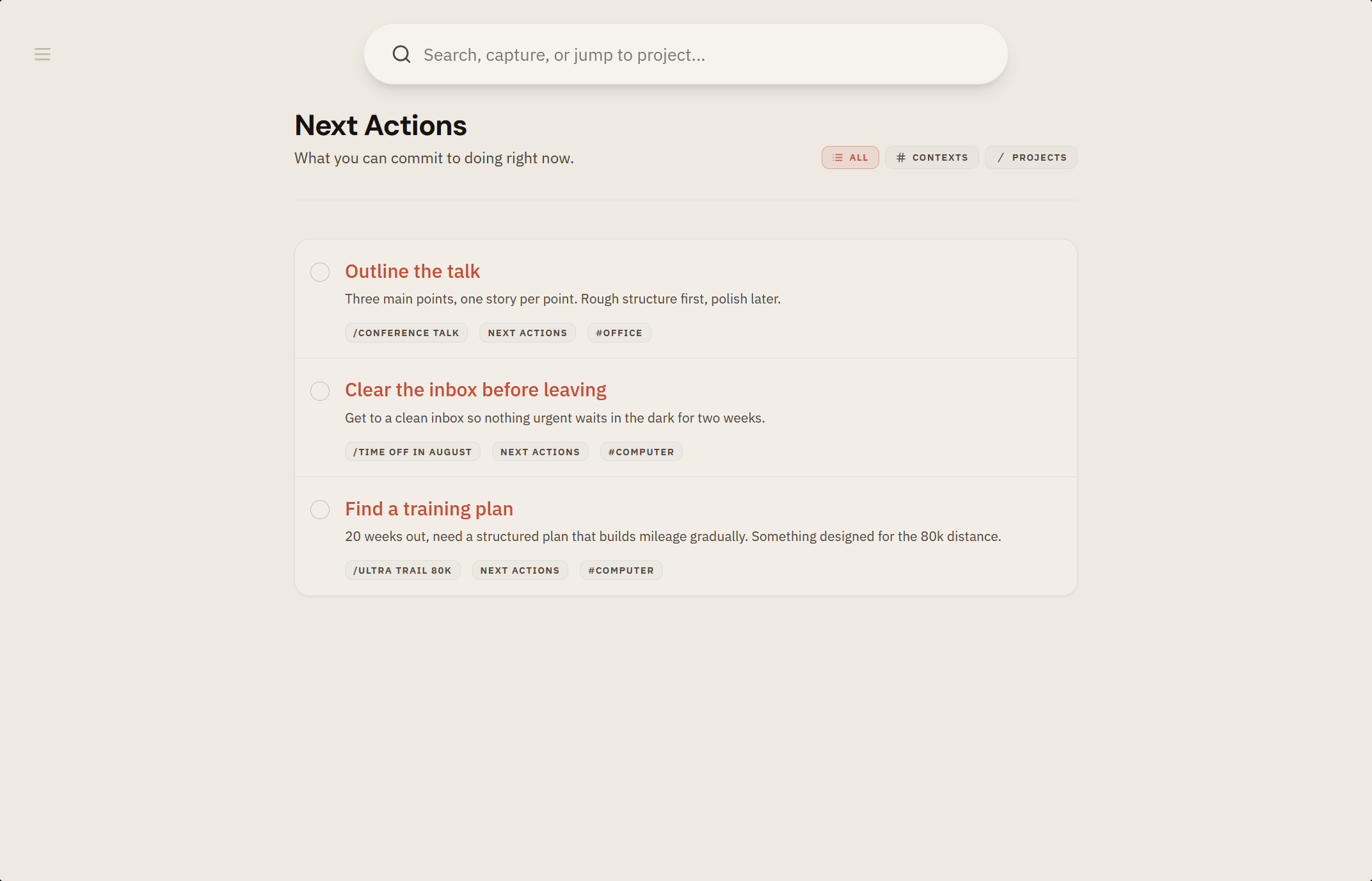
Every task in tingdo is more than a checkbox. It can hold notes, a project, a context, a date, and a clear status, so one item tells you everything you need to act, and nothing you don't. Personal task management, with the noise turned down.
What is task management?
Task management is the practice of keeping track of everything you've taken on, deciding the next step for each one, and seeing those steps when you can actually act on them. Done well, the noise in your head settles, because nothing important lives only there.
tingdo is a personal task management app built around that idea: capture what's on your mind, clarify the next action, and keep the rest out of view until it matters. See the method behind it, or start with the practical version: how to make a to do list that actually works.
What you get
- Tasks with room for notes, for the details that don't fit in a title.
- Images in the description, for the screenshot or photo that says more than a paragraph would.
- Clear statuses that follow a task through its life, from inbox to next action, queue, scheduled, waiting, someday, and done.
- Reordering by drag on the web and swipe gestures on mobile, so your lists reflect your intentions.
How it works
- Set a status and the task moves between views; the right lists update on their own.
- Add a project (
/), context (#), or date (+) inline or from the task editor. - Add an image by pasting a screenshot, dropping a file onto the editor, or tapping Add image. It shows up inline right away and uploads in the background, so it also works with no connection.
- Complete a task and it's logged. If it comes back, reopen it with no ceremony.
Why it matters
- Status is the quiet engine of the system: it's how the same task shows up in the right place at the right time.
- Detail that lives on the task itself means you don't have to reconstruct it later.