
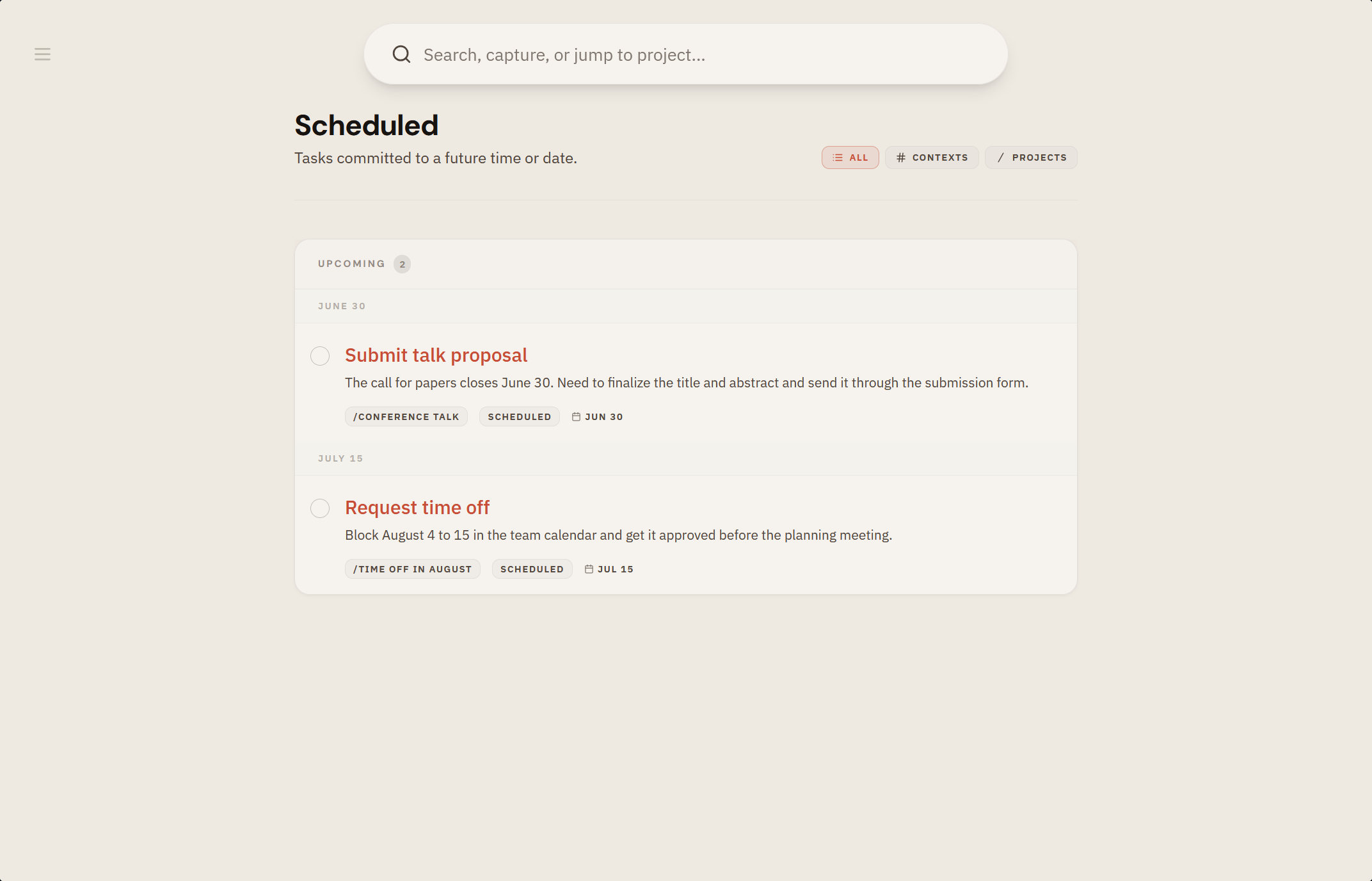
Some tasks belong to a specific day or moment. Scheduling gives a task a date (and a time, when it matters) so it surfaces when it should, instead of crowding your now.
If you know Getting Things Done, you'll recognize the tickler file: David Allen's 43 folders, one for each day of the month and one for each month, where things wait until the day they matter. Scheduled is that tickler, without the folders. Whatever you give a date stays out of sight and safe until its day comes. How that keeps recurring tasks in hand is in the guide to recurring tasks in GTD.
What you get
- Dates and times on any task, optional and not the default.
- Dates on reference notes too, so a checklist can come back on the day you need it.
- A scheduled view that shows what's coming, in order.
- Quick date entry while capturing, using the
+prefix.
How it works
- Add
+today,+tomorrow, or a specific date as you capture, or set it in the editor. - Scheduled tasks appear on their day and join your Next Actions when due.
- Pair with push notifications so real deadlines reach you, even when the app is closed.
Why it matters
- Dates are for things that truly must happen on a day. tingdo keeps that line clear: deadlines are the exception, not the rule.
- Deferring a task to its right day means you stop carrying it until then.